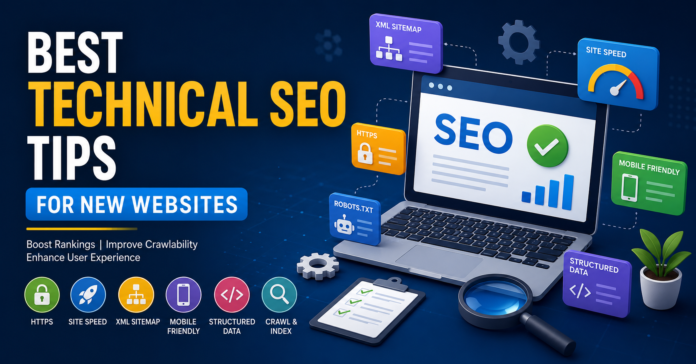
If you’ve launched a new website, technical SEO should be one of your first priorities. A technically optimized website helps search engines crawl, index, and rank your pages efficiently. From site speed and mobile responsiveness to XML sitemaps and structured data, these technical SEO tips can help your new website gain visibility faster and build a strong foundation for long-term organic growth.
Key Takeaways
- Use HTTPS from day one.
- Improve page speed and Core Web Vitals.
- Create and submit an XML sitemap.
- Optimize your robots.txt file.
- Ensure mobile-friendly design.
- Fix crawl and indexing issues early.
- Implement structured data markup.
- Maintain a clean URL structure.
- Avoid duplicate content.
- Monitor website performance with SEO tools.
Why Technical SEO Matters for New Websites
Many website owners focus only on content and keywords. While content is important, technical SEO ensures search engines can access, understand, and rank your pages effectively.
A new website with poor technical SEO may struggle to get indexed, experience slow loading times, and provide a poor user experience. These issues can limit your visibility in search results, regardless of how good your content is.
Pro Tip: Technical SEO is the foundation of your website. Fixing technical issues early is much easier than repairing them after your site grows.
Secure Your Website with HTTPS
Security is a confirmed ranking factor. Every new website should use an SSL certificate and run on HTTPS.
Benefits of HTTPS
- Protects user data
- Builds trust and credibility
- Improves SEO performance
- Prevents browser security warnings
Before launching your site, ensure all pages redirect from HTTP to HTTPS properly.
Improve Website Speed
Site speed directly impacts user experience and search rankings.
Key Speed Optimization Techniques
| Optimization Method | SEO Benefit |
|---|---|
| Image Compression | Faster page loading |
| Browser Caching | Reduced server requests |
| CDN Usage | Faster global delivery |
| Minified CSS & JS | Smaller file sizes |
| Lazy Loading | Improved performance |
Common Speed Mistakes
- Uploading large images
- Excessive plugins
- Poor hosting services
- Unoptimized JavaScript files
Expert Insight: A common bottleneck for new websites is cheap hosting. Investing in reliable hosting often provides immediate SEO benefits.
Create and Submit an XML Sitemap
An XML sitemap helps search engines discover important pages on your website.
What Should Be Included?
- Blog posts
- Service pages
- Product pages
- Landing pages
Once created, submit your sitemap through Google Search Console to accelerate indexing.
Optimize Your Robots.txt File
The robots.txt file tells search engines which pages should or shouldn’t be crawled.
Best Practices
- Allow access to important pages
- Block unnecessary admin pages
- Avoid accidentally blocking your entire website
A misconfigured robots.txt file can prevent search engines from indexing your content.
Ensure Mobile-Friendliness
Google primarily uses mobile-first indexing. Your website must perform well on smartphones and tablets.
Mobile SEO Checklist
- Responsive design
- Readable text without zooming
- Fast loading speed
- Easy navigation
- Clickable buttons with proper spacing
| Mobile Factor | Importance |
|---|---|
| Responsive Layout | High |
| Mobile Speed | High |
| Touch-Friendly Navigation | High |
| Pop-Up Control | Medium |
Pro Tip: Always test your website on multiple mobile devices before launch.
Use a Clean URL Structure
URLs should be simple, descriptive, and user-friendly.
Good Example
yourwebsite.com/technical-seo-tips
Bad Example
yourwebsite.com/page?id=12345
URL Best Practices
- Use keywords naturally
- Keep URLs short
- Avoid special characters
- Use hyphens instead of underscores
Clean URLs help both users and search engines understand page content.
Fix Crawl and Indexing Issues Early
New websites often face indexing challenges.
Common Issues
- Noindex tags on important pages
- Broken internal links
- Redirect chains
- Orphan pages
Use Google Search Console regularly to identify and fix crawl errors.
Expert Insight: Many websites unknowingly launch with development settings that block indexing. Always perform a full technical audit before going live.
Implement Structured Data
Structured data helps search engines better understand your content.
Popular Schema Types
- Article Schema
- FAQ Schema
- Organization Schema
- Breadcrumb Schema
- Product Schema
Structured data can improve your chances of earning rich results and enhanced search listings.
Eliminate Duplicate Content
Duplicate content can confuse search engines and dilute ranking signals.
How to Prevent It
- Use canonical tags
- Maintain one version of each page
- Redirect duplicate URLs
- Avoid publishing copied content
Keeping content unique improves crawl efficiency and ranking potential.
Build a Strong Internal Linking Structure
Internal links help search engines discover pages and distribute authority throughout your website.
Internal Linking Benefits
- Improves crawlability
- Enhances user navigation
- Increases page authority
- Reduces orphan pages
For example, a blog post about technical SEO can link to related articles on keyword research, website speed optimization, and content marketing.
Essential Technical SEO Tools for New Websites
Several tools can help monitor and improve technical SEO performance.
Recommended Tools
- Google Search Console
- Google Analytics
- PageSpeed Insights
- Screaming Frog SEO Spider
- Bing Webmaster Tools
Regular audits help identify issues before they impact rankings.
5 FAQs About Technical SEO for New Websites
1. What is technical SEO?
Technical SEO involves optimizing a website’s infrastructure so search engines can crawl, index, and rank pages more effectively.
2. How important is technical SEO for a new website?
It is extremely important because it establishes the foundation for visibility, user experience, and search engine performance.
3. How often should I perform a technical SEO audit?
At least once every month, and immediately after major website updates or redesigns.
4. Does page speed affect SEO rankings?
Yes. Faster websites generally provide better user experiences and can improve search rankings.
5. What is the first technical SEO step for a new website?
Ensure your website uses HTTPS, is mobile-friendly, and has an XML sitemap submitted to Google Search Console.
Technical SEO is not a one-time task. It is an ongoing process that helps search engines understand, crawl, and rank your website effectively. By focusing on site speed, mobile usability, indexing, structured data, security, and internal linking from the beginning, you can create a strong SEO foundation that supports long-term growth.
Start implementing these best technical SEO tips for new websites today, monitor your results regularly, and continuously optimize your site to stay ahead of competitors and improve your search engine visibility.